
Race teams
Open the MoTeC and Pi Toolbox files your loggers already write, and lay them over the laps from your simulator.

One tool for your team’s sim and real-car data. MoTeC, Pi Toolbox and VBOX files open as they are, beside the laps your drivers turn in the sim, so your engineers compare the two directly. Everyone signs in with the company account, and the data stays yours.
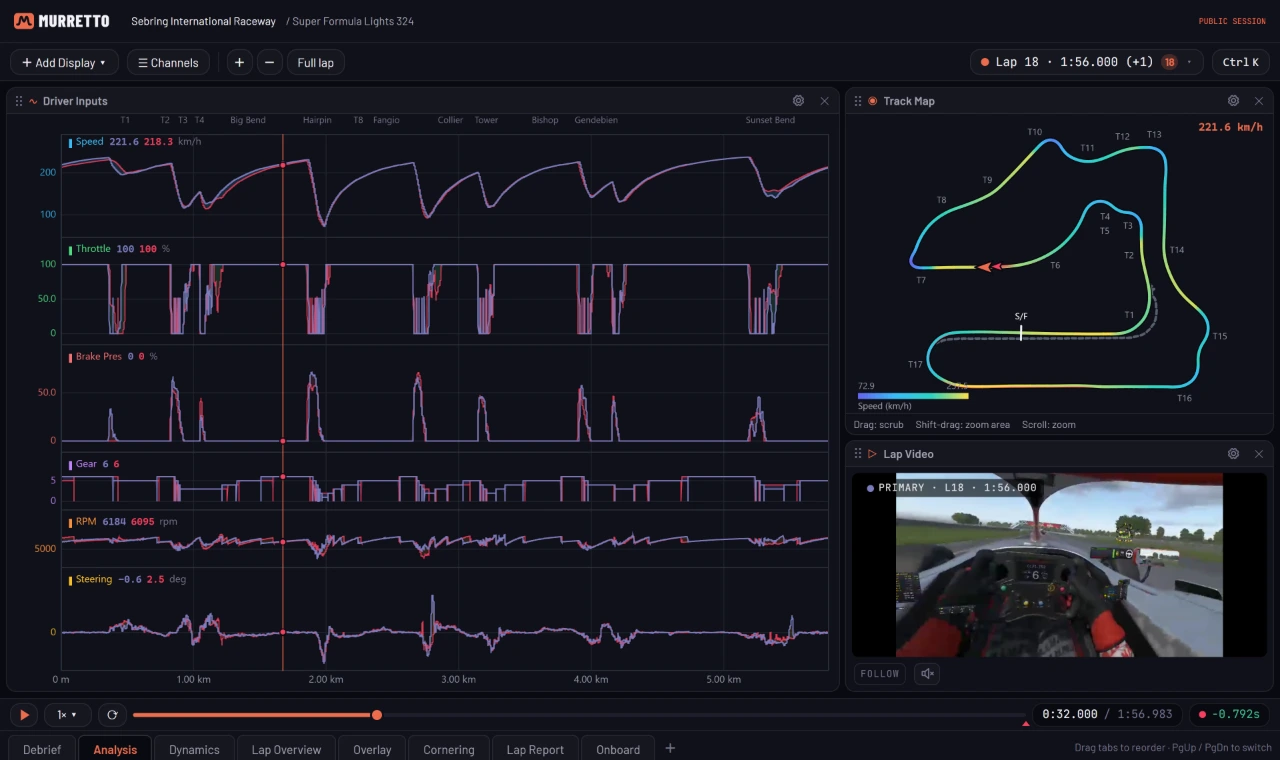
Open the MoTeC and Pi Toolbox files your loggers already write, and lay them over the laps from your simulator.
Every driver’s laps, the live wall and stint planning, under one company sign-in your staff already have.
Sim sessions and track days in one library. Coaches review both on the same screen.
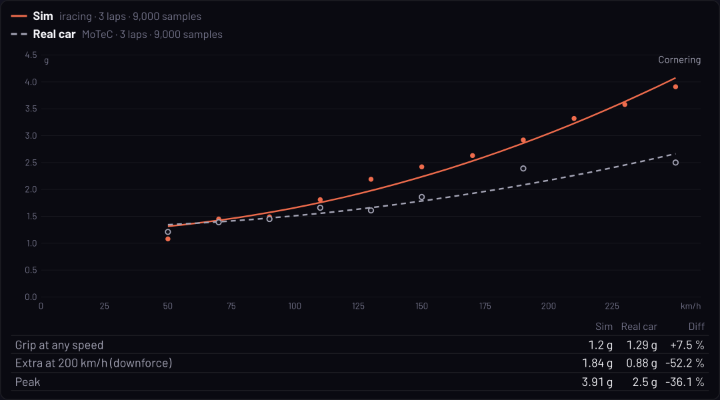
Check the simulator against the car on the same channels, corner by corner.
Drop in a MoTeC .ld with its .ldx, a Pi Toolbox .pds, a VBOX .vbo or a logger’s CSV export. Laps come from the file’s own beacons or lap markers, channels map to standard names in their units, and every file gets a report of exactly how it was read.
| File | From | Laps from |
|---|---|---|
| .ld + .ldx | MoTeC | The .ldx beacons, else a lap channel or GPS |
| .pds | Pi Toolbox | The file’s lap markers or events, else GPS |
| .vbo | VBOX, RaceBox, RaceChrono | GPS, at a start/finish line |
| .csv | Logger exports, AiM included | A lap column, else GPS |
Real laps sit in the same library and the same workbook as sim laps. Overlay a simulator lap on the car’s lap from the weekend, on one cursor and one distance, and see where the sim is quicker, slower or simply different.
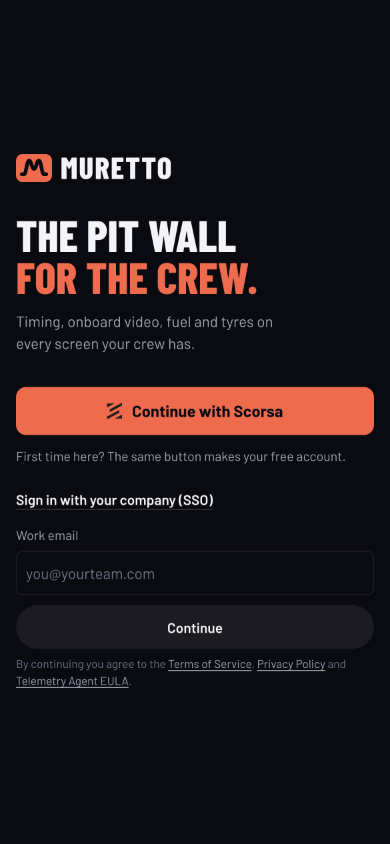
Staff sign in with their work email through Okta, Microsoft Entra ID or any SAML identity provider. Take someone out of your identity provider and they can no longer sign in to Muretto.
Telemetry, video and setups are your team’s: nothing is shared unless one of you shares it. Fuel, tyre wear and lap-time predictions pool de-identified figures on the shared cloud; Private Cloud and your own servers keep everything apart.
| Team SSO | Private Cloud | Series & factory | |
|---|---|---|---|
| Runs on | The shared Muretto cloud | A stack of your own | Your servers, or at the track |
| Region | Muretto’s | Your choice | Yours |
| Telemetry, video, setups | Your team only | Your stack only | Your hardware only |
| Shared prediction models | Pooled, de-identified | Never pooled | Never pooled |
| Sign-in | Your SSO | Your SSO | Your SSO |
MoTeC .ld and .ldx, Pi Toolbox .pds and VBOX .vbo open as they are. Logger CSV too.
Sim and real laps in one workbook, on one distance and one cursor.
Grip limit and balance fitted from each lap, so the sim and the car compare like for like.
SAML single sign-on with Okta, Entra ID or your own provider.
Team-only by default, or on a stack of its own.
Every team car, onboard video, timing and fuel on one wall during sim sessions.
Every lap exports as CSV, and AI tools get read-only access over MCP.
iRacing, Le Mans Ultimate, rFactor 2, the Assetto Corsa family and F1.
Tell us about your cars, your simulator, your loggers and who needs access.
Your sign-in, your stack if you take Private Cloud, and one of your own logger files opened together.
Drivers record in the sim. Engineers drop the car’s logger files in after each run.
Every tier carries sim and real data. Pick how private it needs to be.
On the shared Muretto cloud, for a team and its staff.
A Muretto stack of your own, in the region you choose.
For series, manufacturers and top-level programmes, from Supercars to F1.
Enterprise prices in Australian dollars, excluding GST. Engineers, coaches and crew are included on every tier.
MoTeC .ld with its .ldx, Pi Toolbox .pds, VBOX .vbo, and CSV exports from loggers, AiM’s included. Real-car data comes in from the files after a run; there is no live real-car telemetry.
Yes. Real laps sit in the same library and workbook as sim laps. Overlay them on one distance and one cursor, read the delta corner by corner, and compare grip and balance in the Car Model pane.
Any SAML 2.0 provider, Okta and Microsoft Entra ID included. Your staff sign in with their work email, and we connect your provider during setup.
Fuel, tyre wear and lap-time predictions pool de-identified figures from every driver on the shared cloud, Team SSO included. On Private Cloud and on your own servers nothing is pooled. Telemetry, video and setups are never shared outside your team unless one of you shares them.
On a database and storage of your own, in the region you choose: Australia, Europe or the United States.
Muretto records from iRacing, Le Mans Ultimate, rFactor 2, Assetto Corsa Competizione, Assetto Corsa EVO, Assetto Corsa and F1 23–24. The available channels vary with each simulator.
Every lap kept with telemetry and onboard video. Overlay any two and see where the time went.
See howEvery team car on one live wall, with fuel, stints and pit calls for the long race.
See howSell setups, reference laps and coaching. Review your students’ laps on the real telemetry.
See howTell us about your cars, your simulator and your staff, and we’ll set you up.